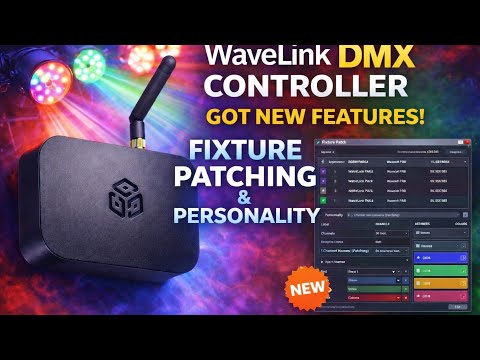
Wired DMX Controller
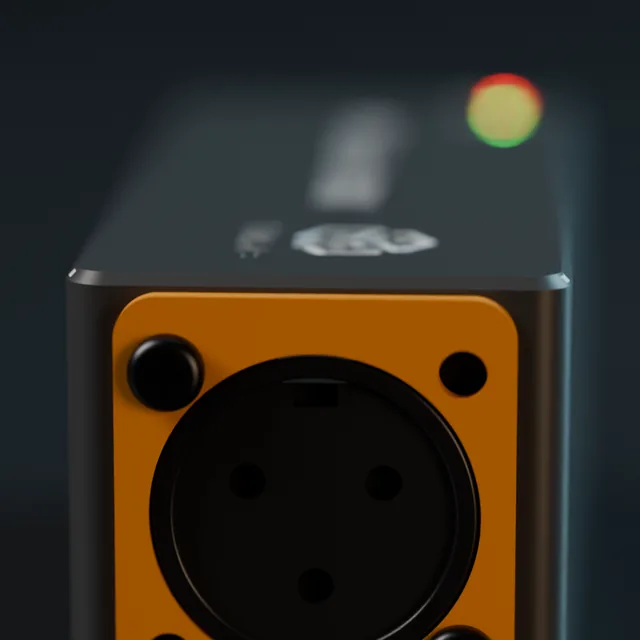
A cabled DMX512 controller for rigs that run on XLR, straight into your fixtures.
- Direct DMX512 over XLR
- Cabled, interference-free signal
- Works with standard DMX fixtures
DMX control, built here. Wired, wireless and USB-C DMX controllers, Art-Net, isolated splitters, and the WaveLink DMX app — designed and made in-house. Plus the fixtures and lamps to run on them.
New WireLink DMX, soon available for salePhone in. DMX out. A USB-C to DMX512 interface for the WaveLink DMX app, with an isolated output that keeps your phone and tablet safe.
One USB-C cable from your Android phone or tablet, one XLR cable to the rig. The WaveLink DMX app sees WireLink straight away, with nothing to pair and no Wi-Fi to set up.
Launch price ₹X,XXX Revealed at launch
Everything we make to run lights and visuals, in one place.
 New
Resolume Arena · Windows
TrilitLabs FX
Twenty-five audio-reactive plugins for Resolume: twelve effects, six generators and seven transitions, all running on the graphics card.
See it → Soon
Windows · In development
TrilitLabs Show Control
One button blacks out the visuals and the lights together, and one brings them back: Resolume and your lighting console, coordinated and confirmed.
See it → New
Windows · Preview
Trilit Visual Engine
Projection mapping and live visuals on Windows. Easy mode works like Trilit Mapper; Pro mode adds a full deck of clips, MIDI and every projector you have.
See it → Android · Coming to Google Play
Trilit Mapper
Projection mapping from your tablet or phone: point a projector at a wall or an object, fit light to it with shapes and warps, and fill it with live effects.
See it → Android · Google Play
WaveLink DMX
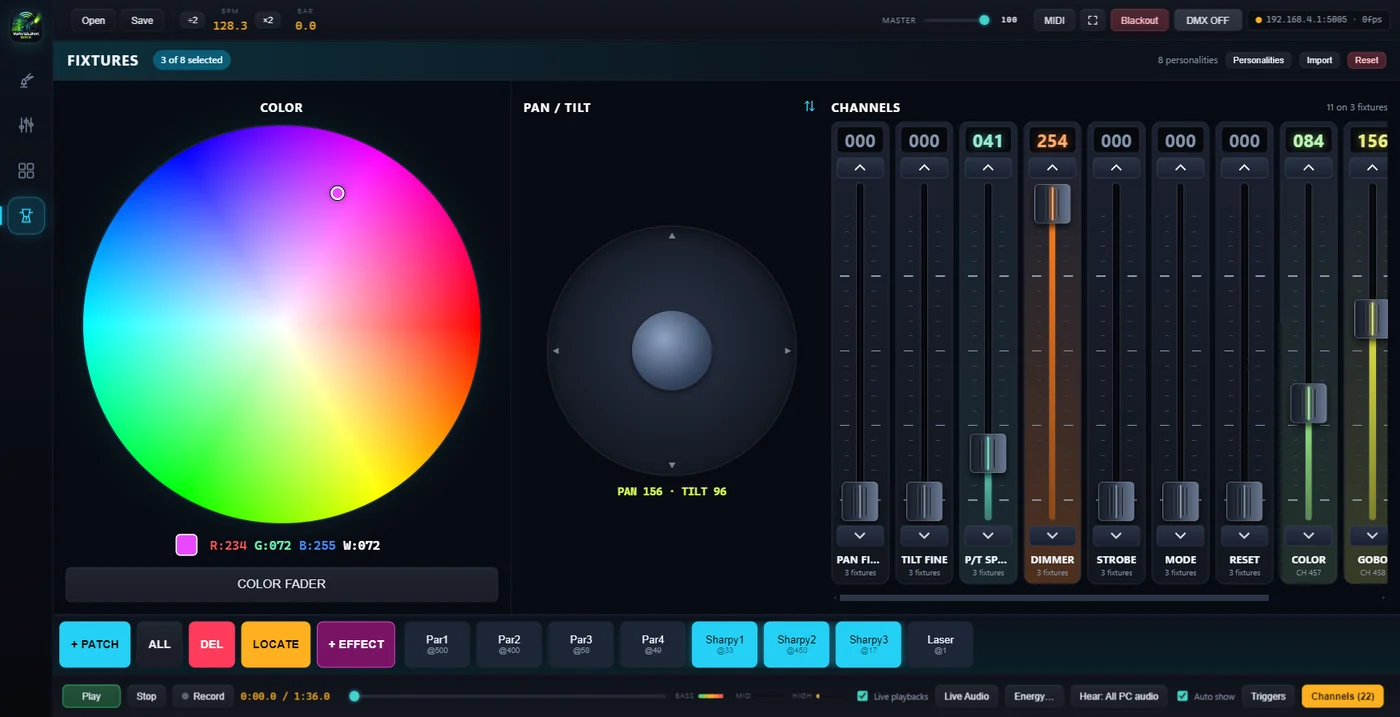
A professional DMX lighting controller in your pocket: moving heads, PARs and lasers, live faders and scene recall.
See it → Windows
WaveLink DMX LightShow
Load a song and get a light show built on its beats and sections, or let it light whatever the PC is playing, live.
See it → In your browser Personality GeneratorMake fixture personality files for Avolites Titan consoles from a fixture's channel list.
Open it → Free
Google TV & Android TV · Freeware
Christmas Countdown
A Christmas home screen for your TV: the countdown, the time and weather, your apps in Santa hats, and a Christmas tree that dances to the TV.
See it →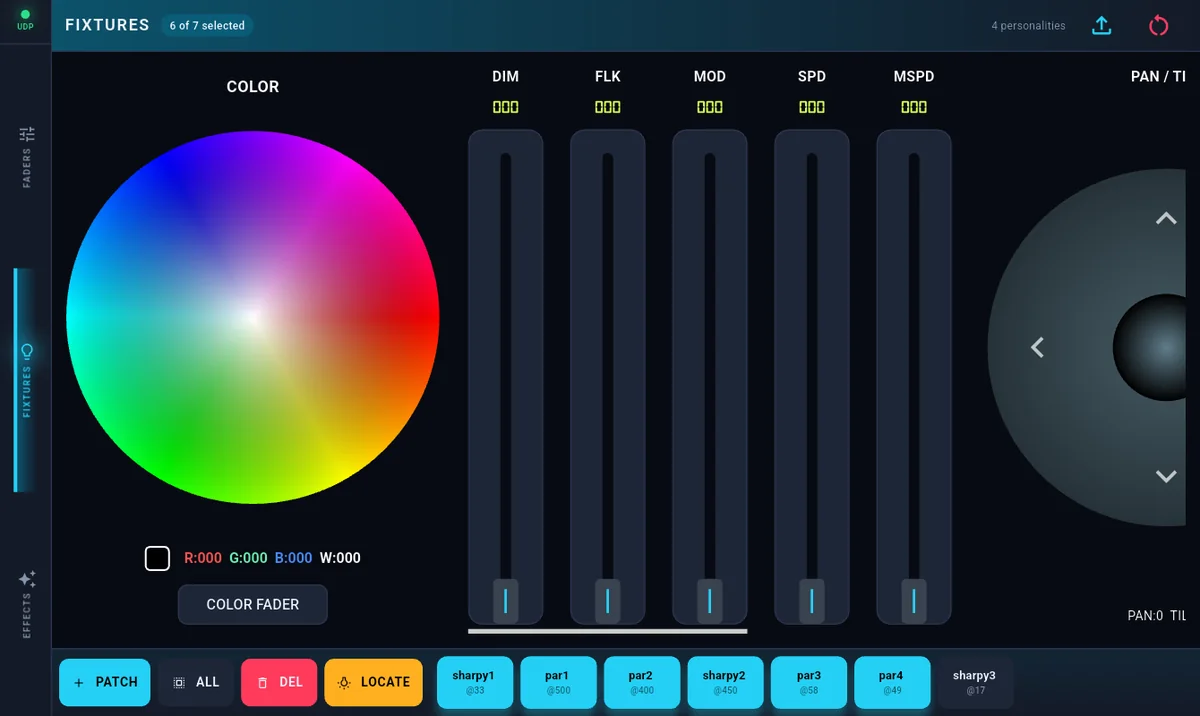
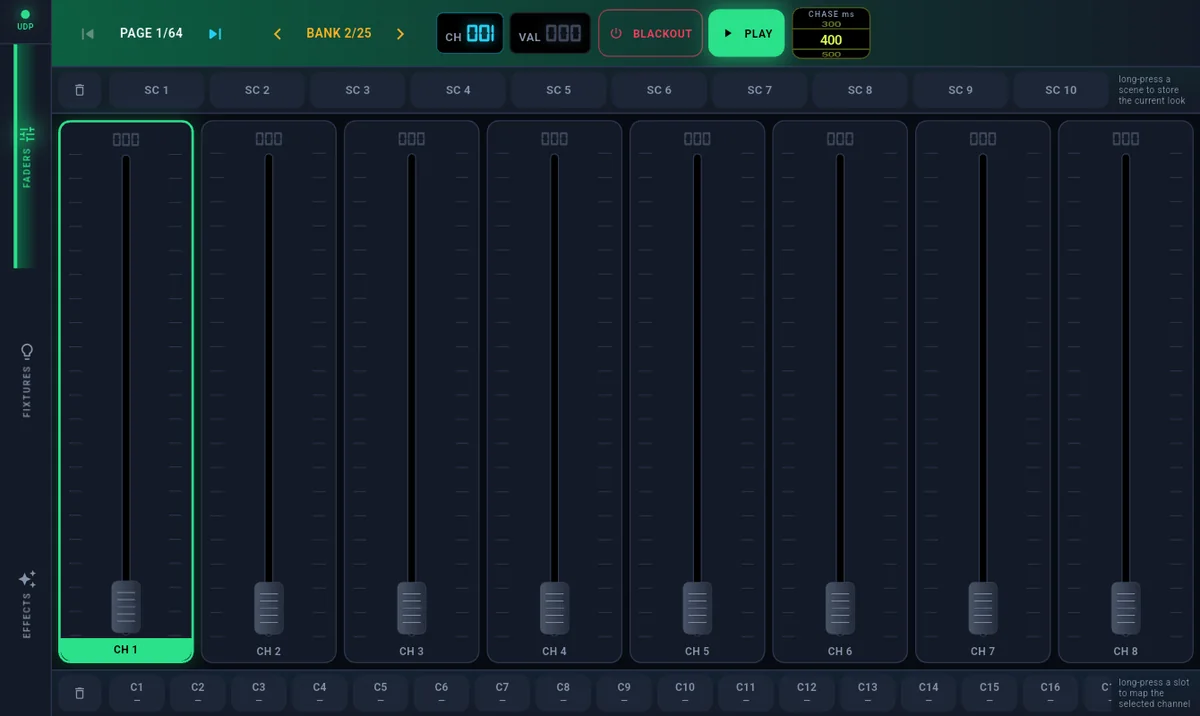 On Google PlayA professional DMX lighting controller, in your pocket.
Run the rig from your phone.
Pair with our wireless controller, or plug in WireLink DMX over USB-C, and take command of the whole rig — no console, no laptop.
We're loyal. Older WaveLink controllers — the ones that only run on their own Wi‑Fi (192.168.4.1) and can't be updated from the app — won't work with the latest app on Google Play. Classic is the app made for them: faders, scenes, chases, fixtures, effects and the Light Show.
wavelink_dmx…) and open WaveLink DMX.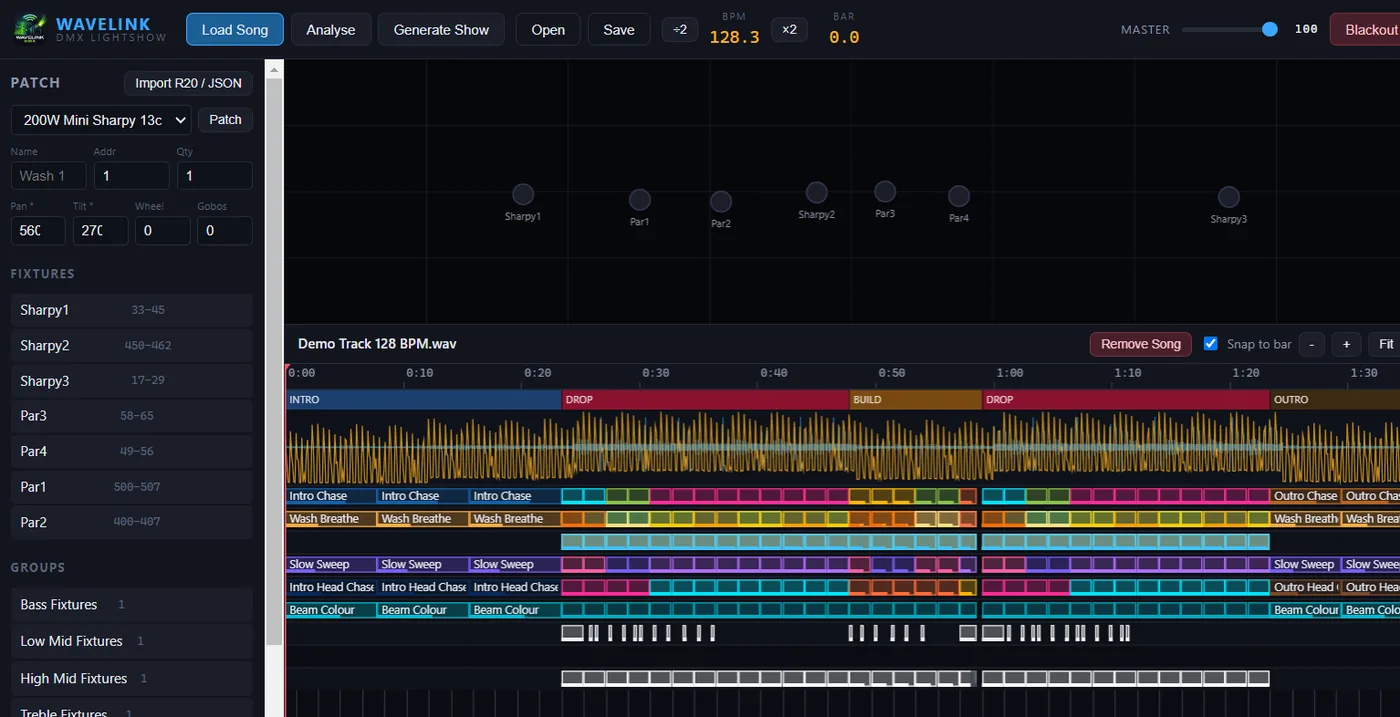 Desktop softwareWaveLink DMX LightShow
Load a song. Get a light show. Then make it yours.
Point it at an MP3 and it finds the tempo, the beat grid and the structure — intro, build, drop, breakdown — then builds a full show against them. Every cue lands on a real musical event, and nothing about it is random: the same track always produces the same show.
It lights the way a designer would. Moving heads, pars and the laser take turns, a look holds for a phrase, builds end on a bar of strobe, and every drop lands on a white hit with chases locked to the BPM.
Switch on Live Audio and it lights whatever the PC is playing — a DJ set in rekordbox, Spotify, a browser. It hears the builds and drops in the mix, follows the live tempo and runs the show by itself, swinging the rig left and right on the beat. It feels the song’s energy, too: a chill intro dims the rig and slows the chases, a peak-time drop runs them flat out, and the moment a drop lands, the strobes hit. A live spectrogram takes the timeline’s place, so you can see what it hears.
Queue a whole set and it moves to the next track on its own — or switch the generator off and build the cues yourself. Every head can be located on its own, aimed, and given the pan and tilt centre your rig actually hangs at — and a 3D stage shows the whole rig placed and angled as it really hangs.
Free. Windows 10 and 11, 64-bit. First run: Windows may say “Windows protected your PC” because the app is not code-signed. Click More info, then Run anyway.
.r20 and WaveLink JSON personalitiesNo personality for a fixture? Photograph its DMX chart or paste the channel list, check each channel, and download a personality file for your console.
It makes .D4 files for Avolites Titan consoles, with every DMX mode in one file, and .R20 files for Pearl / Classic consoles: Pearl 2000, 2004, 2008, 2010, Tiger and Azure. The same file also runs our WaveLink controllers: import it in the WaveLink DMX app with its Import personality button, or load it into LightShow.
Channels. One per line, starting with its number in the fixture: 1 Dimmer, CH2 Strobe or Channel 3: Red. Number them 1, 2, 3… in the order the chart lists them for the DMX mode you use.
Value ranges. On the lines under a channel, from–to then what it does: 0-7 Open, 8-255 Strobe slow-fast. Leading zeros are fine (000-007), and to or ~ work instead of the dash. A plain 0–255 channel needs no ranges.
Percentages. A range whose text says slow-fast, dim-bright or 0-100% shows on the console as a percentage across that range.
16-bit channels. Call the second one “Fine”: 6 Pan Fine pairs itself with Pan.
Names choose the wheel. Dimmer, Strobe, Red, Green, Blue, White, Amber, UV, Pan, Tilt, Colour, Gobo, Prism, Zoom, Focus, Speed, Auto, Reset. You can change any channel's function in step 3.
Length. The console shows 12 characters of a name and 11 of a range; longer text is shortened for you.
DMX address. Don't type it here. The file lists the fixture's own channels 1, 2, 3…; the start address is set on the fixture and chosen when you patch it on the Pearl.
1 Dimmer
2 Strobe
  0-7 Open
  8-255 Strobe slow-fast
3 Red
4 Green
5 Blue
6 Pan
7 Pan Fine
8 Tilt
9 Colour
  0-15 White
  16-31 Red
  32-47 Blue
  128-255 Rotate slow-fast
10 Reset
  0-199 No function
  200-255 Reset
No chart to photograph or paste? Start with blank channels and fill each one in below, in step 3: its name, its function (which decides the console wheel) and its value ranges. Works for both the .R20 and the .D4.
Open a Titan .d4 (every mode comes in as a tab), one or more .R20 files (each file becomes a mode, so separate R20 modes join into one .D4), or a .json project saved from this page.
One fixture can have several DMX modes: add each one as a tab, and the .D4 file carries them all. Check each channel's function: it decides which console wheel it lands on. Fine/LSB channels pair with their coarse channel for 16-bit control. Value ranges show as text on the console wheel.
Tell us who you are to download. You'll only be asked once on this device.
TrilitLabs keeps your name and email with the fixtures you download.
Titan consoles (.D4): one file holds every mode. Put it in the console's user personality folder (or open it in Avolites' Personality Builder and save it to the fixture library), then patch it like any fixture. Patch one and check every attribute before a show.
Pearl / Classic (.R20):
Pearl 2008 / 2010 / Tiger read personalities from a USB stick in this layout (the zip already has it):
AVOLITES\FIXTURES\R20\<MANUFACTURER>\<FILE>.R20
The console also expects the shape file SG.DAT in the R20 folder. Copy it from any Avolites personality download or use Avolites' Copy 2008 tool. Older floppy-disk Pearls take the .R20 in the root of the disk with SG.DAT.
Then patch: Patch → Fixtures → (disk) → choose manufacturer → fixture. Patch one fixture and check each wheel before a show.
Macros (lamp on / reset) aren't generated; add them in a text editor if you need them.
Not affiliated with Avolites. Always test a personality on the desk before a show.
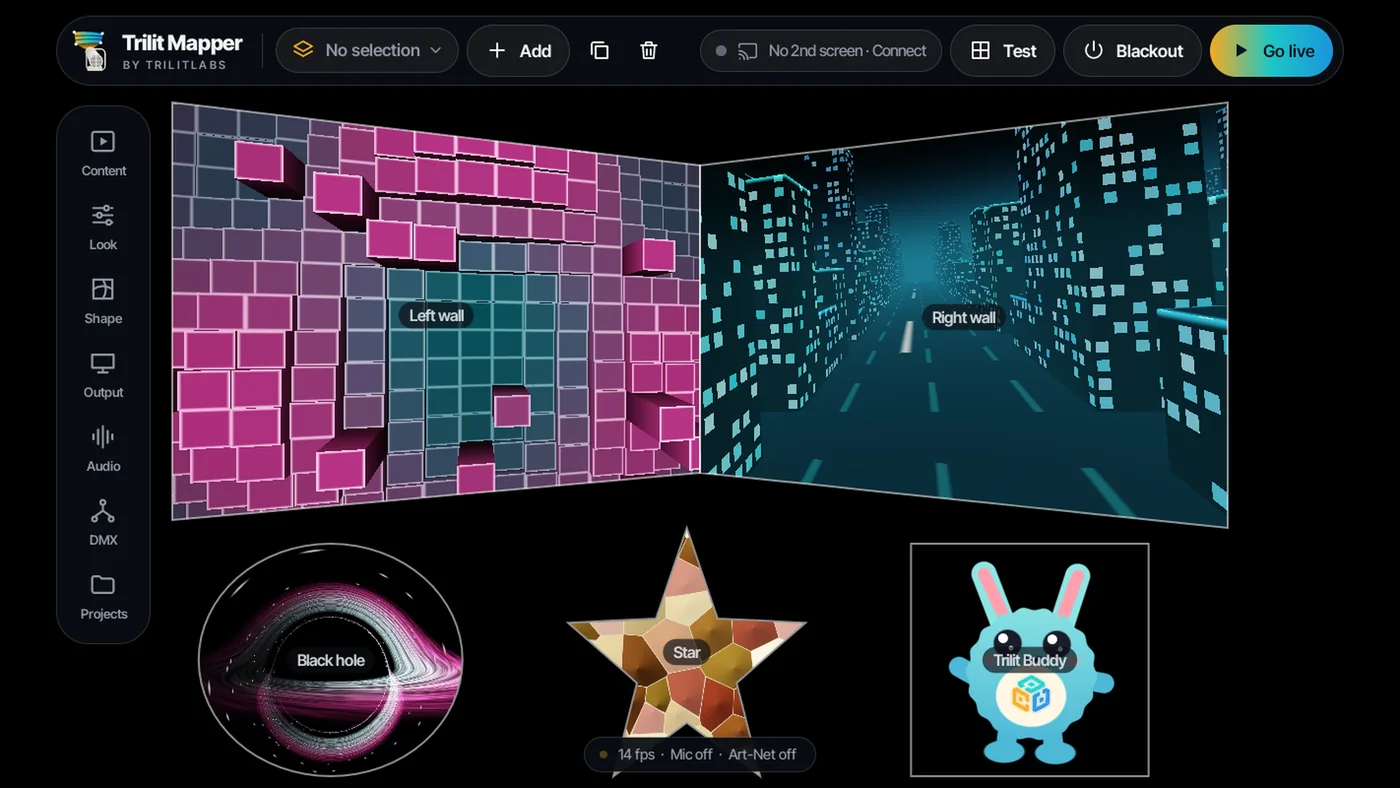 Android appTrilit Mapper
Point a projector at anything. Map it from your tablet.
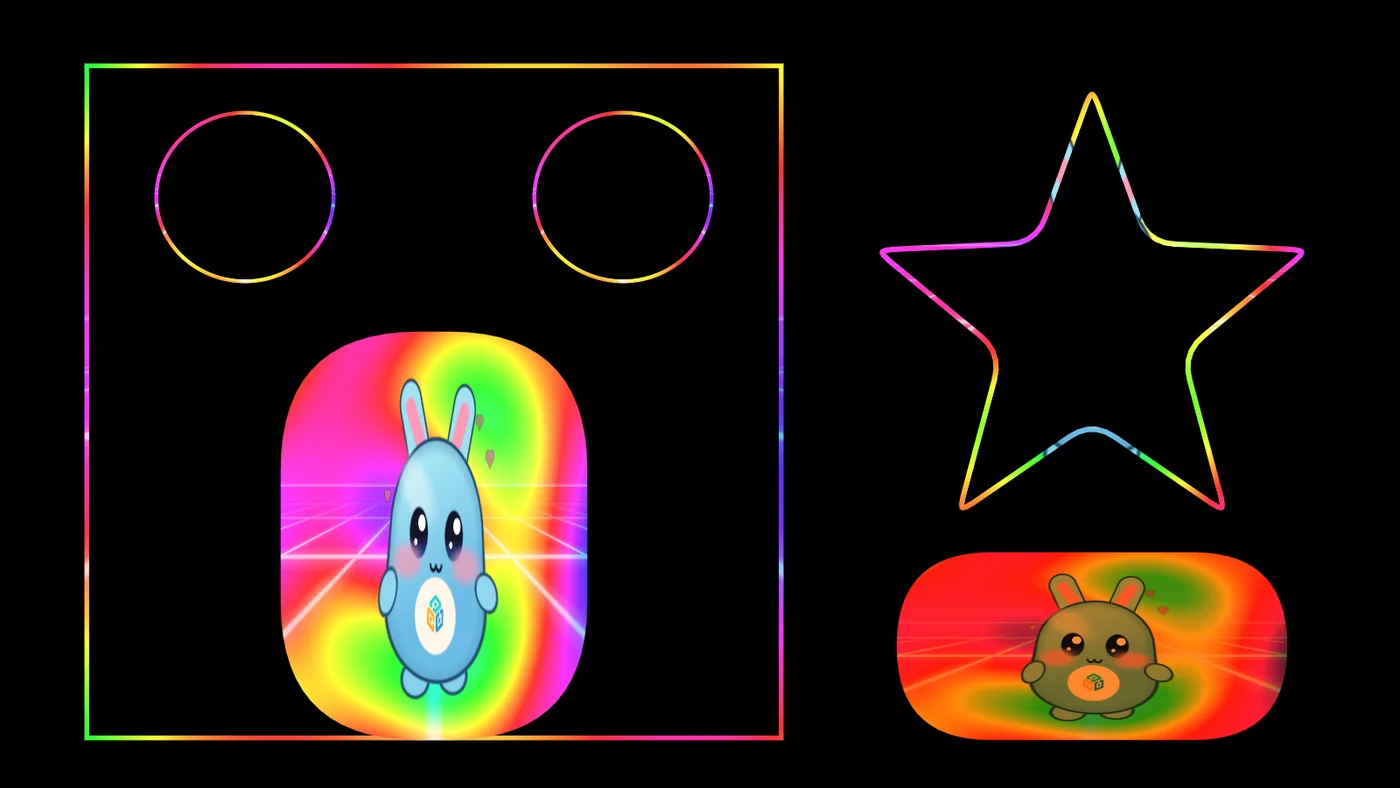
Drag the corners of a surface onto a wall, a stage set or a car, and bend it around curves with a mesh warp. Pinch to resize, nudge for the last pixel, and cut surfaces to circles, stars, hearts and your own shapes. Take a photo of the object and the app finds its outline.
Pick from 62 live effects, or use your own images, video and text. Turn on the mic and the visuals move with the music. Cast the clean output to a projector or a second screen, and connect your console over Art-Net.
Coming to Google Play for Android tablets and phones; it is being tested now. Everything Trilit Mapper did on Windows is now part of Trilit Visual Engine, which also opens Trilit Mapper shows.
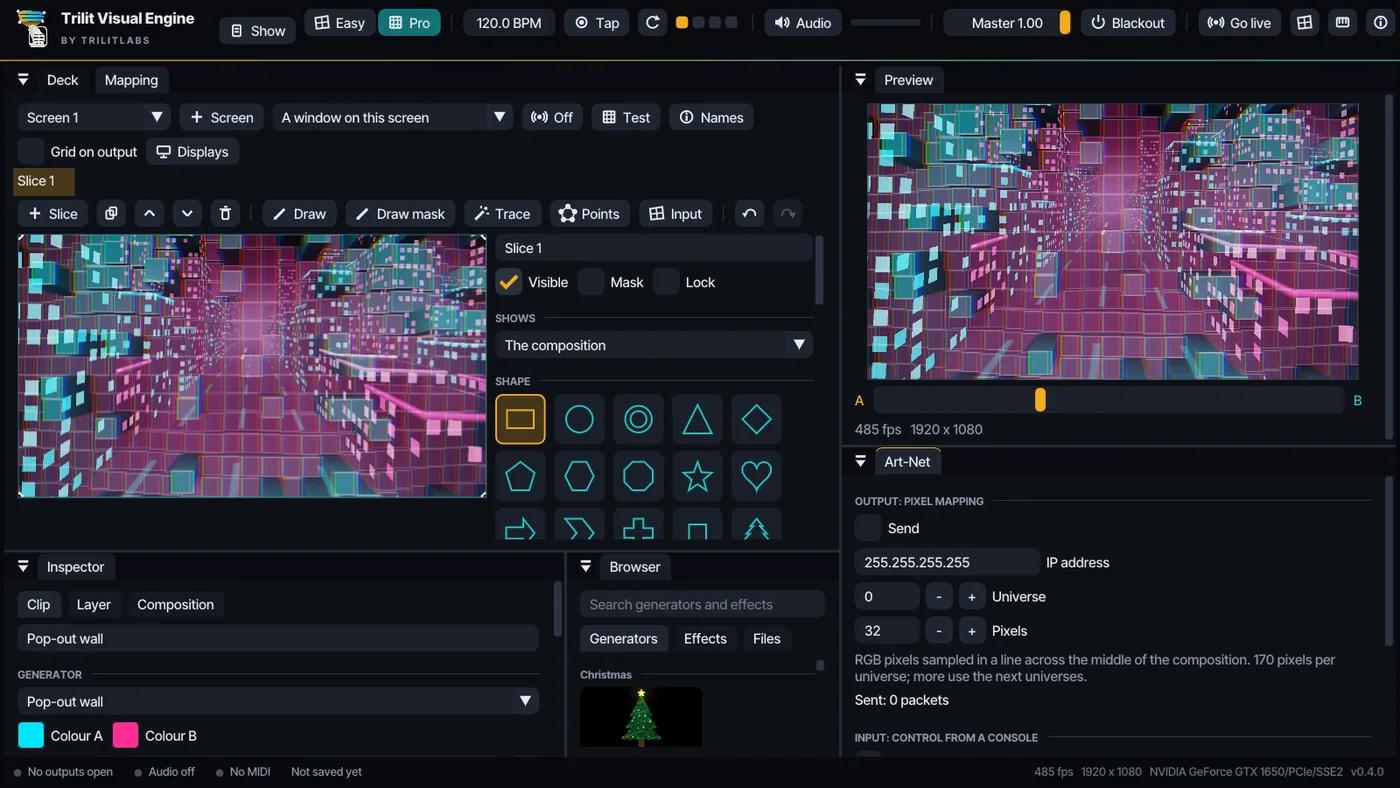
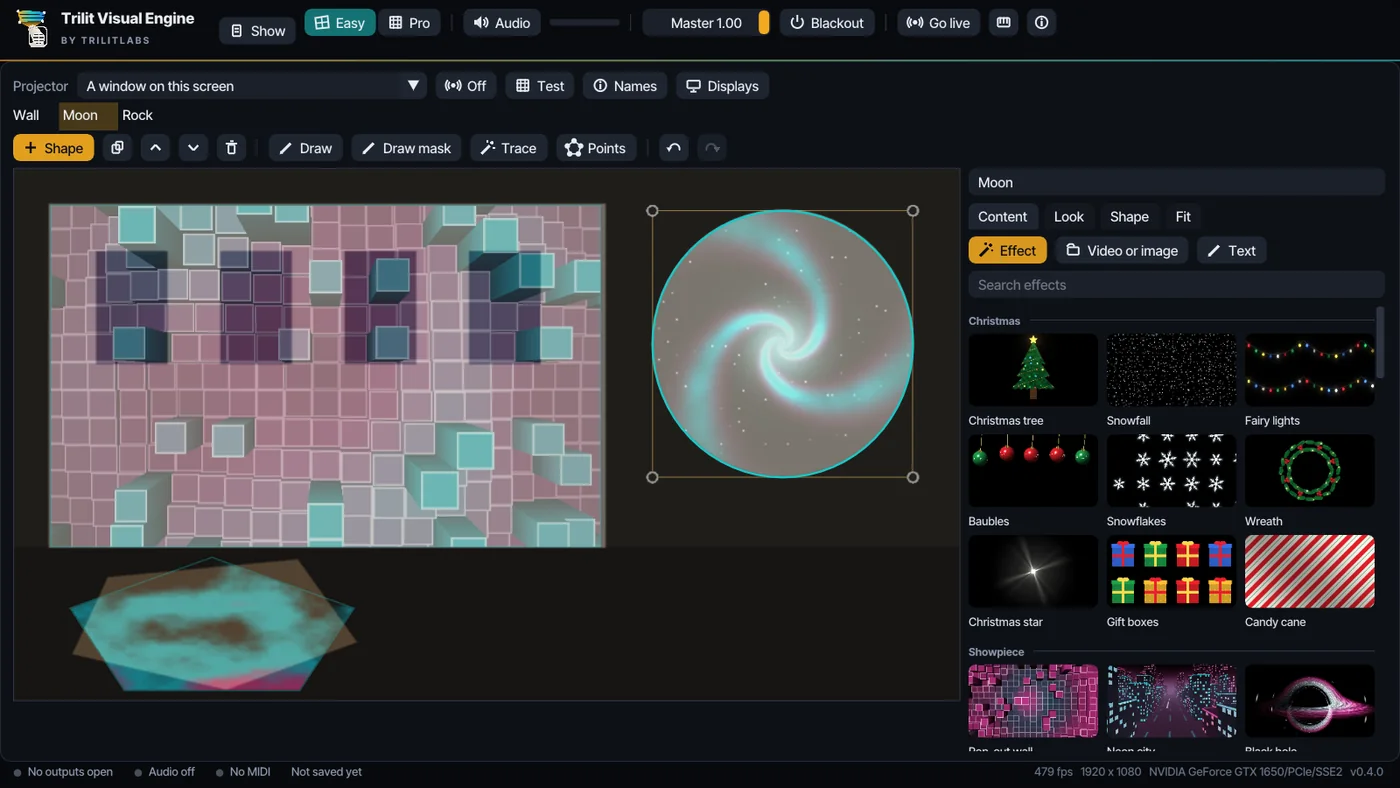
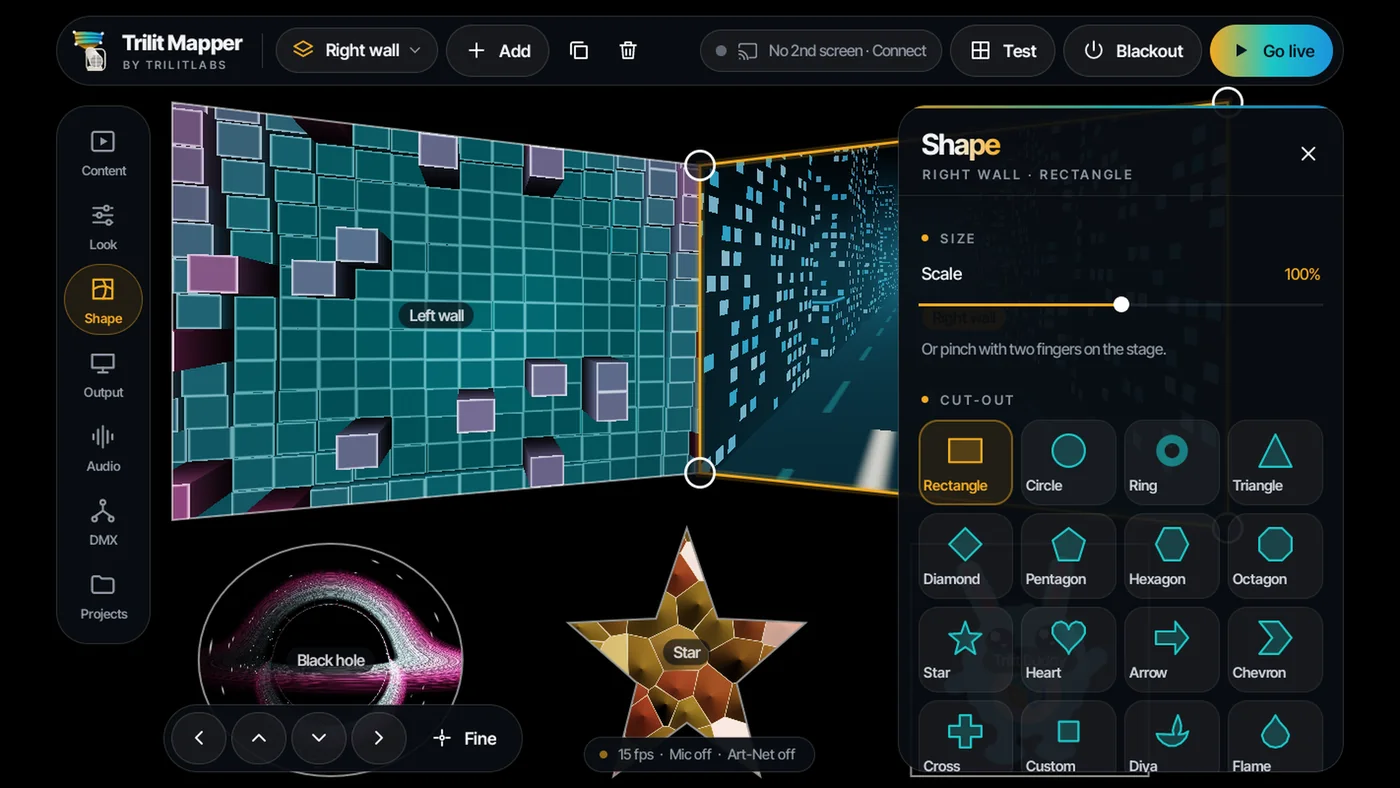 Desktop softwareTrilit Visual Engine
Play visuals like an instrument. Map them onto anything.
Easy mode works like Trilit Mapper: add a shape, drag it onto your surface, and pick an effect, a video, a picture or text for it. Switch to Pro for a full deck of clips to play live.
Build a deck of clips in layers: 67 live generators, your own videos with their sound, images, and text whose letters can show a live effect. Fire a clip or a whole column, and mix layers with ten blend modes, an A/B crossfader and smooth transitions. Chain 55 GPU effects on any clip, any layer or the whole show, and let any setting move with the BPM or the music. Play only part of a video, fit it to the beat, or let it jump with the music.
Take a photo of your stage and click an object: edge detection finds its outline and makes a slice in exactly that shape, already in place. Draw shapes and masks by hand too, or cut slices to 21 ready shapes, round their corners, or draw only their outline in light. Bend them with a warp grid of up to 16×16 points, and move the points of any shape, circles too. In the Input view, drag four corners to choose which part of the picture each slice shows; corners snap together so slices meet exactly. Every projector gets its own output, with soft edges where two overlap.
A Christmas scene to map in minutes: snowfall, fairy lights, a tree, baubles, a wreath and gifts, each on its own shape. Nine Christmas effects, eight Christmas shapes, and a festive look for the app itself.
Link any MIDI key, pad or knob to clips, columns and sliders, or give every shape its own key and play the building like an instrument.
It needs only OpenGL 3.3, which almost every graphics card made since about 2010 supports, and video decodes on NVIDIA, AMD and Intel graphics. With no graphics driver at all, it still runs, using software drawing. It does everything Trilit Mapper did on Windows, and opens Trilit Mapper shows.
Preview 0.4.0 · 53 MB · Windows 10 and 11, 64-bit. Installs without administrator rights. First run: Windows may say “Windows protected your PC” because the app is not code-signed. Click More info, then Run anyway.
 Resolume pluginsTrilitLabs FX
Twenty-five plugins that live inside Resolume and move with the music.
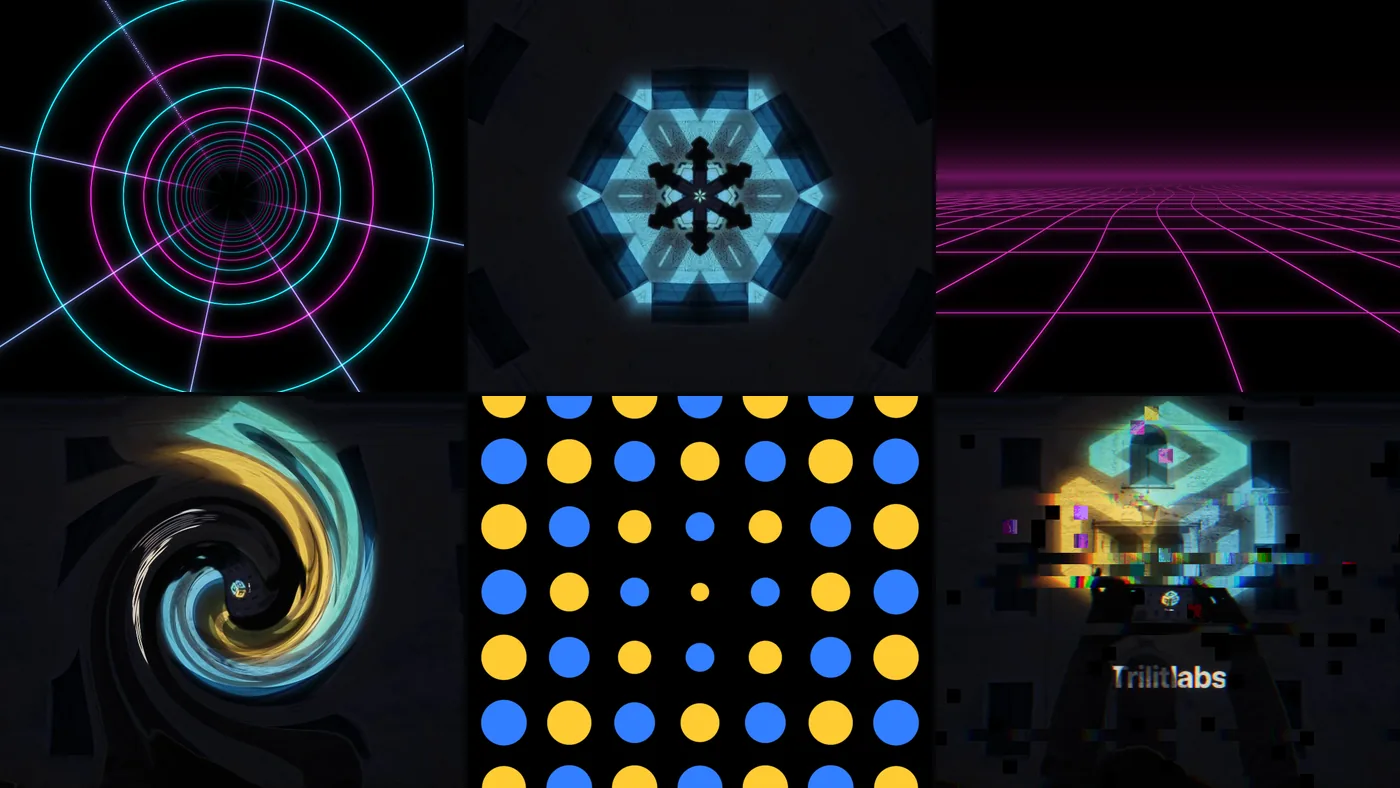
Twelve effects — glitch, VHS, pixel sort, kaleidoscope, vortex and more — six generators that need no clip at all, and seven transitions from glitch reveals to shape wipes. They are native FFGL plugins: they sit in Resolume's browser next to its own effects, and everything runs on the graphics card.
Every plugin has two modulation routes. Bass, mids, treble, the kick, Resolume's BPM or an LFO can drive any setting: the kaleidoscope turns with the bass, the glitch hits harder with it. Leave modulation off and they behave like any other plugin.
Mirror, Wave and Film Grain are free, with no watermark. Every other plugin works in full with a small demo watermark until you activate it. To buy, the License Manager opens our page with your PC's ID filled in: you order on WhatsApp, pay by Google Pay or UPI, and paste the licence we send back. It is checked offline, so nothing needs the internet on stage.
Version 0.6.0 · 3.6 MB · Resolume Arena 7 on Windows 10 and 11, 64-bit. Installs without administrator rights. First run: Windows may say “Windows protected your PC” because the installer is not code-signed. Click More info, then Run anyway.
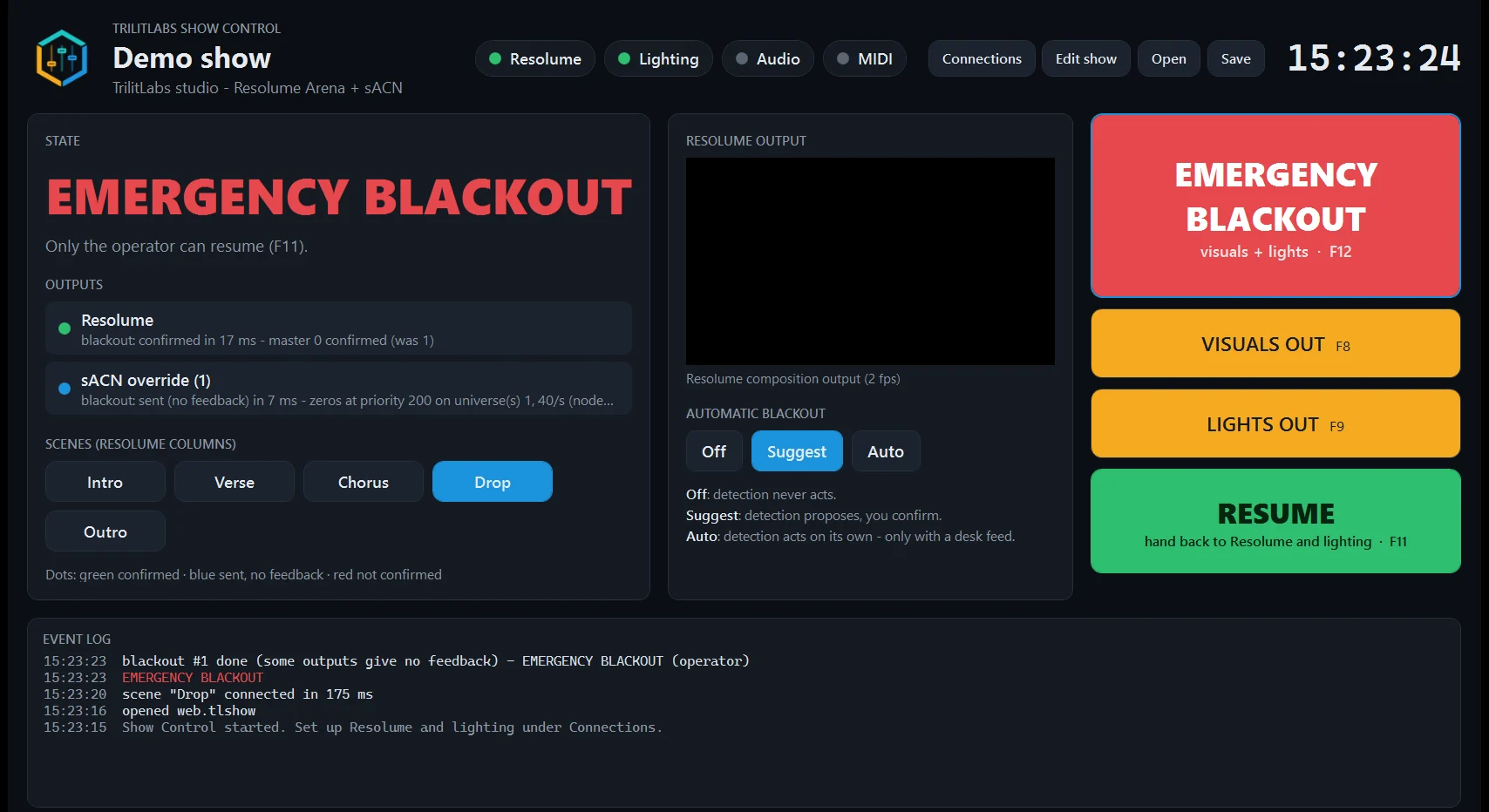
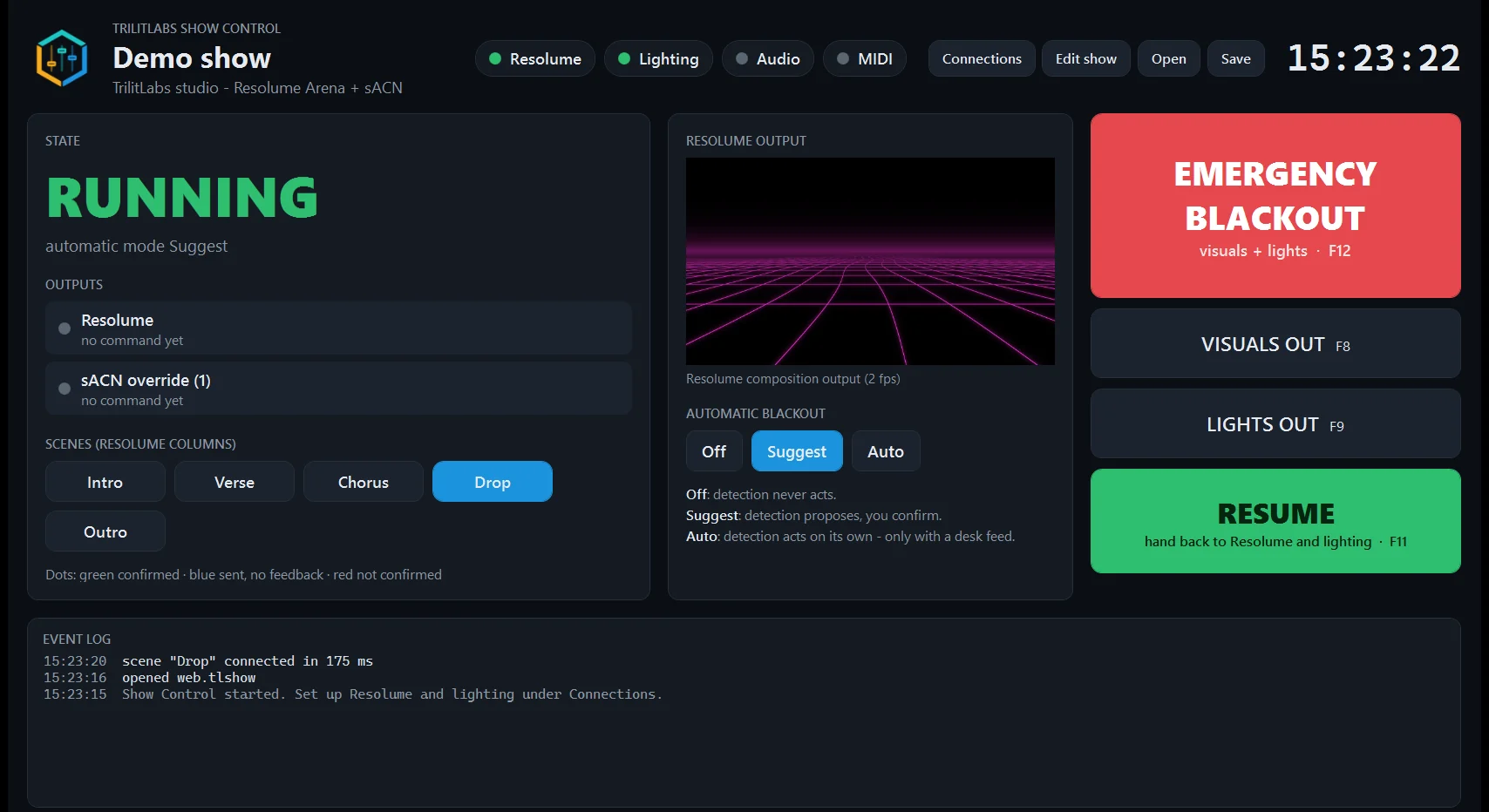 In developmentTrilitLabs Show Control
One button blacks out the visuals and the lights together. One brings them back.
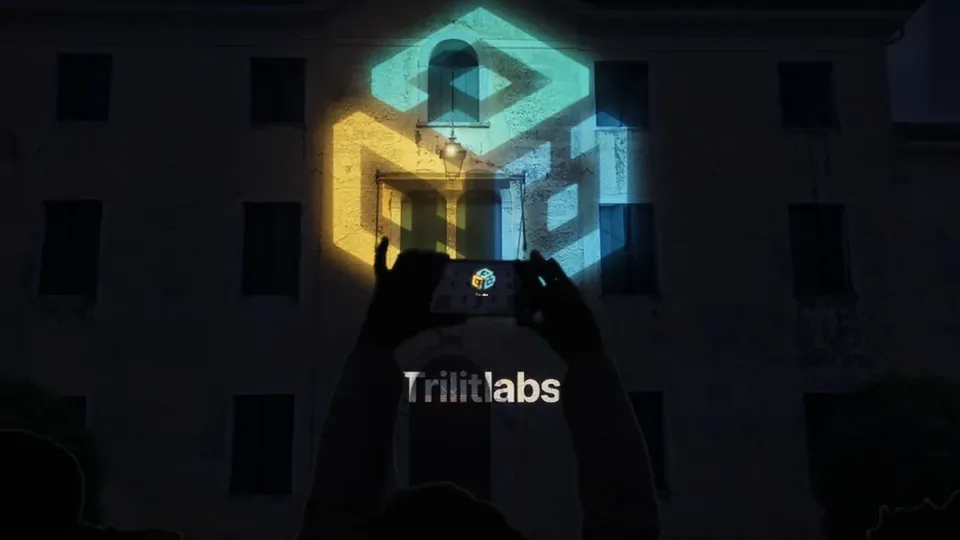
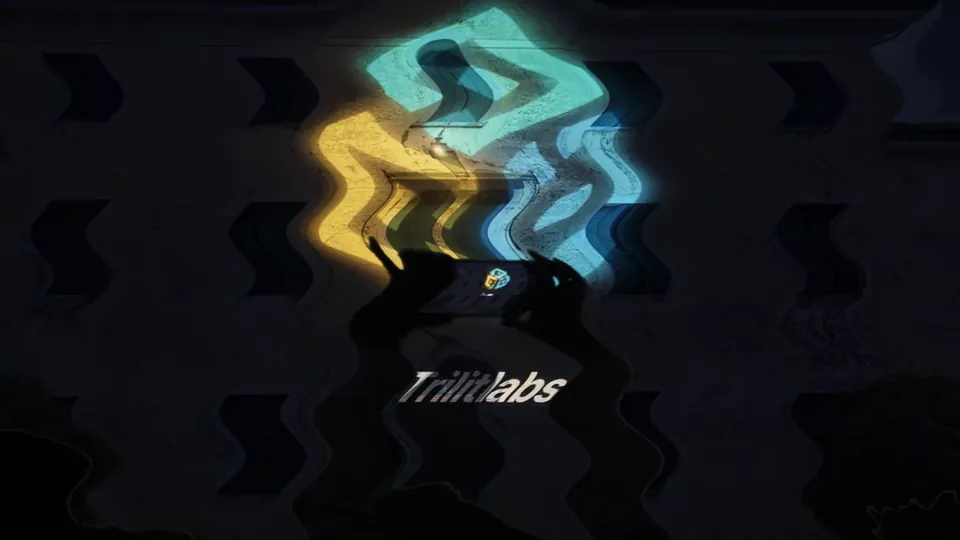
At a live show the visuals run in Resolume and the lights run on a console, often with two operators. Show Control sits between them. An emergency blackout takes both to black at once, and Resume hands both back exactly as they were. The clips keep playing during a blackout, so the show picks up where it left off.
Resolume confirms every change: on our test PC, it confirmed a blackout within 18 ms of the button press. Every output shows green when it is confirmed, blue when it was sent to a device that can't answer, and red when it wasn't confirmed, so the operator knows what actually happened. If the VJ moves the master during a blackout, Show Control leaves their change alone.
It can fire the console's own blackout with an OSC message or a MIDI note you map on it: grandMA3 over OSC, Avolites Titan and WaveLink DMX LightShow over MIDI. Or it takes over sACN universes at a higher priority and hands them back cleanly on resume. So far it has been tested with Resolume Arena and with simulated lighting on one PC; real consoles on a show network are next.
Show Control will follow the show audio: songs, drops and when the band stops. It can suggest a blackout for you to confirm, or act on its own when it gets a feed from the mixing desk. A room microphone isn't enough, because crowd noise hides the quiet moments.
In development: not available to download yet. For Windows 10 and 11, 64-bit, with Resolume Arena 7. Everything runs on the show PC; no internet needed.
Our own controllers and distribution gear, designed for real stages.
A cabled DMX512 controller for rigs that run on XLR, straight into your fixtures.
2.4 GHz control for moving heads, PARs and lasers, driven from the WaveLink app.
DMX over standard network, so a whole rig runs from one Ethernet or Wi-Fi backbone.
Optically isolated distribution that protects your console and fixtures from ground loops and surges.
Stage fixtures alongside our own control gear — and lamps we print ourselves.
Our gear under test, on the pscretn channel.
Things we build for fun and give away. Free to use, no account, no ads.
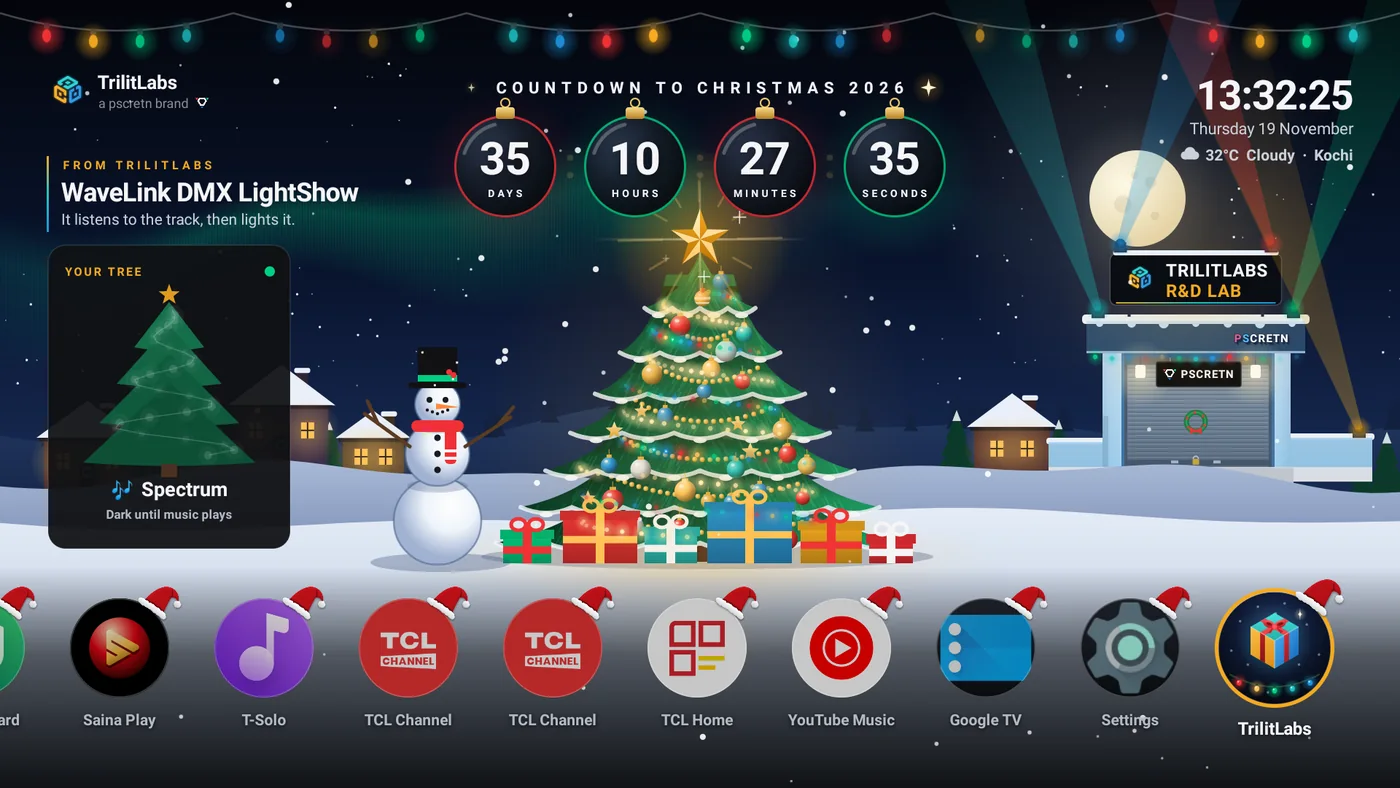 Google TV & Android TVChristmas Countdown
Your TV's home screen, dressed for Christmas.
The countdown to Christmas in four glass baubles, the time and the weather where you are, and a snowy night with a tree, a snowman and Santa's sleigh. Your apps run along the bottom, each in a Santa hat, with a sleigh-bell chime when you come home. It's the screensaver too.
Plug a TrilitLabs Christmas tree into the TV's USB port and run its lights from the remote: 46 effects, 13 of them made for music, plus colour, brightness, speed and auto-change. Turn on TV sound and it moves to whatever the TV is playing, from the TV's own sound, not a microphone.
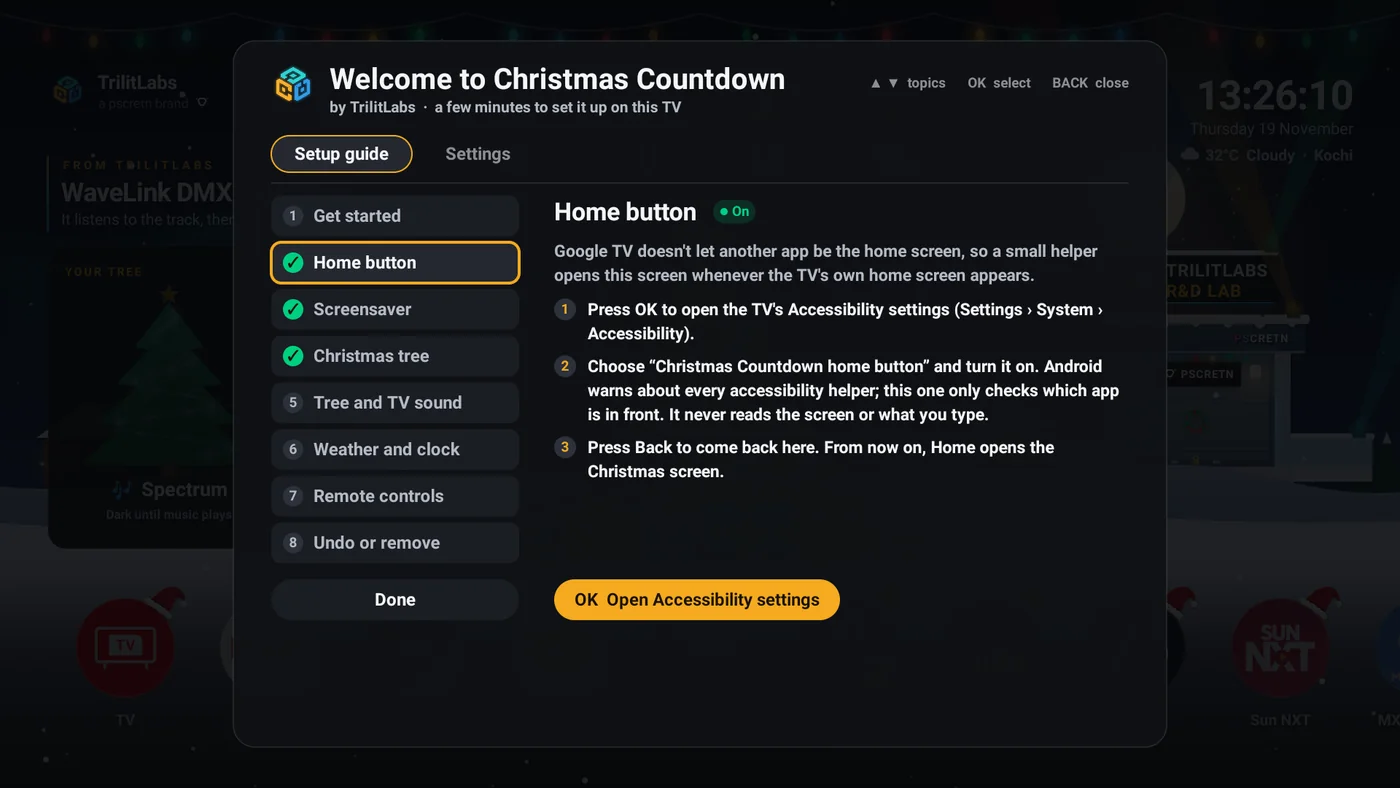
The first time it opens, a setup guide on the TV walks you through each step and opens the right page of the TV's settings. Weather finds your town by itself; °C or °F, the clock, the chime, the animation and even our branding are yours to choose.
Free · 9.1 · 1 MB · Google TV and Android TV, Android 6 or newer. Not on Google Play: install it on the TV with the free Downloader app, or from a USB stick with a file manager. The setup guide shows both.